
Image Metadata Viewer
View EXIF, GPS, camera, lens, author, software, and AI/C2PA indicators in your browser. Analyze one image, understand privacy risks, export JSON, and remove metadata when the format supports reliable local cleanup.
View Image Metadata
Analyze locally in your browser. Your image never leaves your device.
Supports JPG, PNG, WebP, HEIC, and TIFF. Analysis starts only when you click.
How to Check Image Metadata Online
Inspect photo metadata in three deliberate steps without installing software, creating an account, or uploading the file.
Choose one image
Select or drop a JPG, PNG, WebP, HEIC, or TIFF file. The tool shows basic file details first.
Click Analyze metadata
Parsing starts only after you ask for it, and the work happens locally in your browser.
Review risks and export
Check EXIF, GPS, author, device, and software fields, export JSON, or remove metadata when supported.
Private Image Metadata Tools
Explicit analysis
Selecting a file does not start parsing automatically. You decide when metadata is inspected.
Local by design
Images are processed in the browser and are not uploaded to our server for viewing, cleanup, or JSON export.
Risk-aware results
GPS, serial numbers, author fields, capture time, software, camera details, and C2PA indicators are grouped by privacy severity.
Original-format cleanup
JPG, PNG, and WebP cleanup keeps the original format when reliable local metadata removal is available.
Compare Metadata Before and After Cleanup
Metadata can reveal location, time, authorship, device details, and editing tools. Cleanup removes supported metadata while keeping the image format.
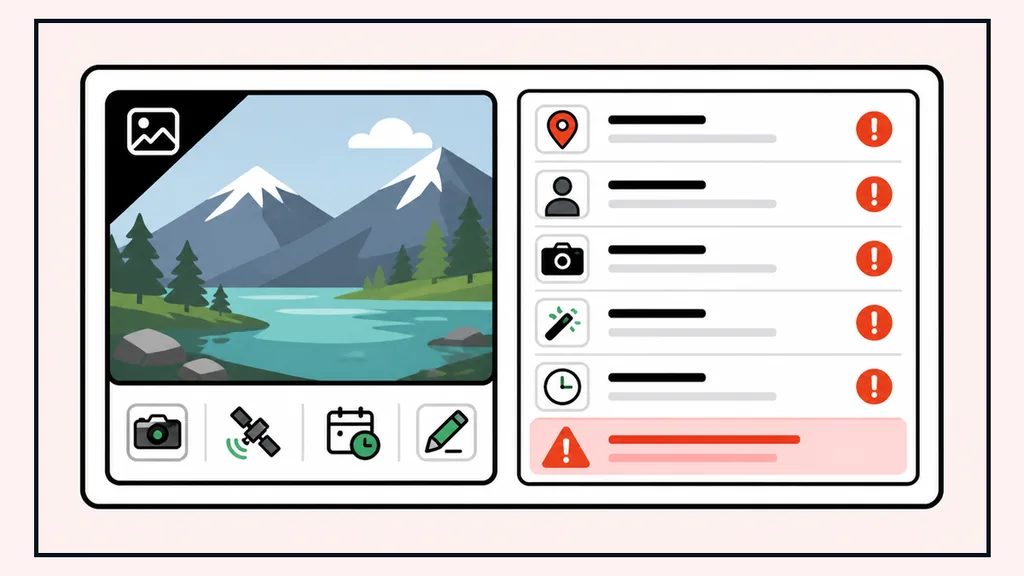
Before
EXIF + GPSOriginal image with supported metadata still attached.
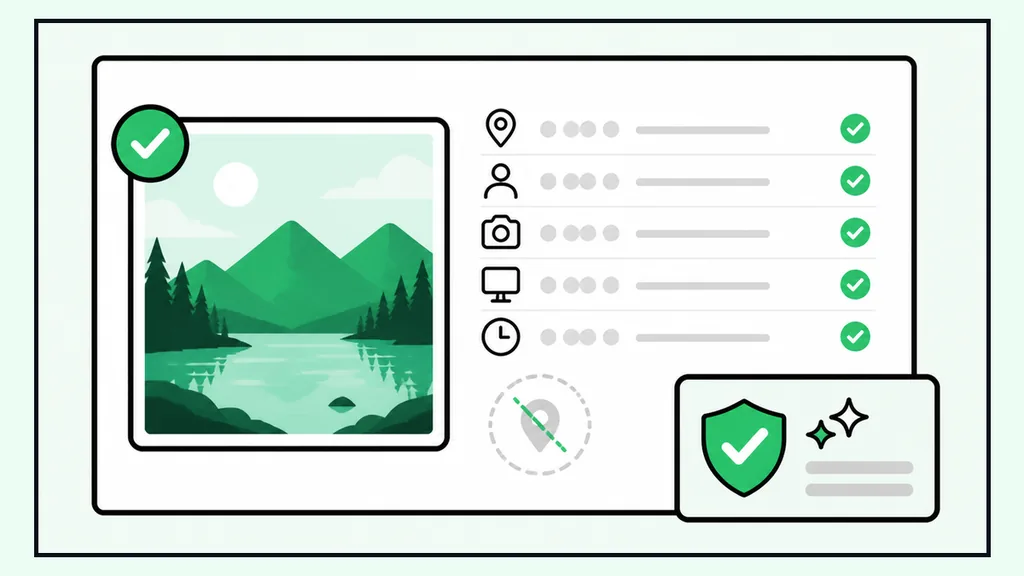
After
CleanedCleaned image with supported metadata removed locally.
The visible photo can stay recognizable while hidden EXIF, GPS, device, and editing details are removed.
Check Photo Privacy Before Sharing
Use Image Metadata Viewer before posting, emailing, archiving, or handing photos to another person or workflow.
Social sharing
Check whether a photo still contains GPS or device details before posting publicly.
Client delivery
Review author, software, and camera fields before sending images to clients or partners.
Archives
Export JSON metadata when documenting image collections or preserving technical context.
Investigations
Inspect EXIF, XMP, IPTC, and C2PA-related fields without uploading sensitive files.
Image Metadata Viewer Questions
Answers about browser-local processing, EXIF, GPS privacy, format support, cleanup limits, JSON export, and AI/C2PA metadata.
No. Image Metadata Viewer analyzes the selected image in your browser. The file is not uploaded to our server for parsing, cleanup, preview, or JSON export.
The tool focuses on EXIF, GPS, capture time, camera, lens, software, author, copyright, serial numbers, XMP, IPTC, ICC, PNG text chunks, and WebP metadata chunks.
If GPS coordinates are present, the summary marks them as high risk. You can choose to load a Google Maps preview or open an external map link; either action can share the coordinates with Google.
JPG, PNG, and WebP are the first formats targeted for original-format metadata cleanup. HEIC and TIFF cleanup stays unavailable until reliable browser-only cleanup is validated.
No. Cleanup downloads keep the original format. If a format cannot be cleaned reliably without conversion or re-encoding, cleanup is not offered.
The result says no readable metadata or common privacy risks were found, but it does not claim that every proprietary or unknown field is absent.
Yes. The first release exports JSON with summary fields, privacy risks, format capability notes, and raw metadata groups.
No. The tool can surface C2PA, Content Credentials, or AI-related fields when detected, but it does not validate signatures or prove authenticity.